PDF Takeoff Software
PDF takeoff software from Zip Takeoff helps you finish material and bid quantities directly on your plans. Upload the set, review detected scales, and measure areas, lengths, and counts. The materials attached to your measurements update as you work, so you can finish the quantity math without rebuilding it in Excel.
No credit card required.
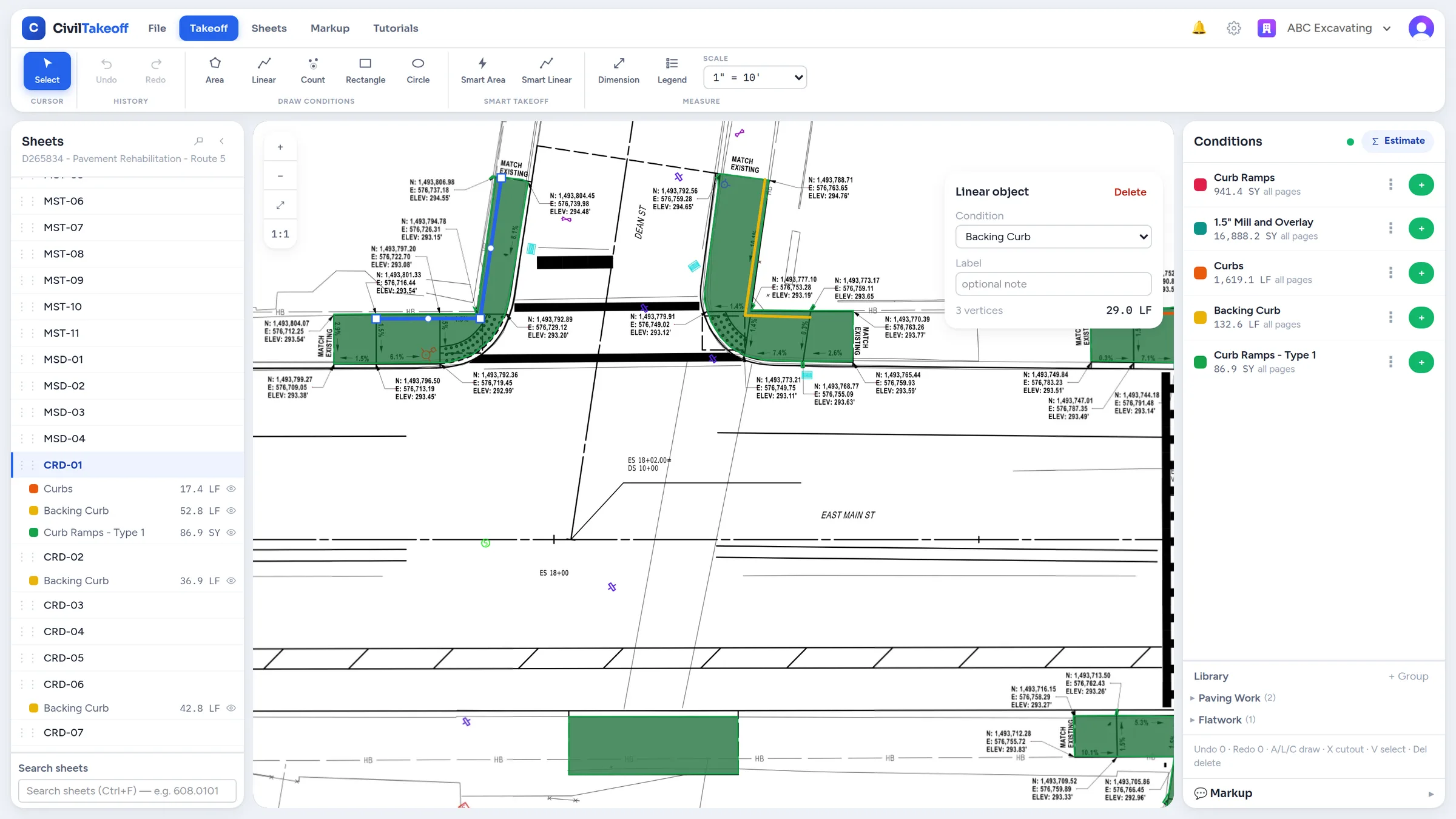
Spend less time setting up sheets and finding details
Zip Takeoff reads sheet numbers during upload to name your pages and looks for their scales. You can find C-101 by its sheet number instead of trying to remember where it sits in the PDF. Confirm each detected scale against a known dimension, or calibrate it yourself when needed. Details can have their own scale.
Recognized sheet references become clickable links to the matching pages. Search across the plan set for a detail name, material, or bid-item code and jump to a matching result. If a pavement note is buried on page 78 of a 204-page set, you have a way to find it without opening every sheet.
PDF takeoff software that finishes the material quantities
Attach your materials and bid items to the areas, lengths, or counts you're measuring. A paving area can supply square yards of surface, asphalt tons, and base volume using the thickness and density you enter. Change the measurement and those connected quantities update.
The app calls a group of measurements with shared settings a condition. Think of it as a named type of work, such as heavy-duty asphalt or 12-inch pipe. Set up its items once, then keep measuring. You can review the material totals inside Zip Takeoff and export to Excel when you need to share a file or carry quantities into another estimating system.
Let the drawing do some of the tracing
On supported vector PDFs, Smart Area suggests boundaries from hatched regions and Smart Linear suggests matching plotted lines. Review the suggestions and accept the ones you need. Accepted takeoff stays editable and feeds your attached items.
Manual tools handle the rest: draw an area or line, place counts, move individual points, and cut islands out of measured areas. Snapping locks a new point onto a corner of your existing takeoff or the shape you're drawing; it does not follow the drawing's linework, and holding Alt places a point freely. The dimension tool lets you check a distance without adding it to your takeoff totals.
Example: an addendum changes the pavement treatment
Suppose a loading area changes from standard-duty to heavy-duty pavement. Move the existing area to the heavy-duty measurement group instead of tracing the footprint again. Its attached material quantities recalculate using the new group's settings. If only part of the area changes, split a shape without cutouts and reassign that portion.
Keep optional work under Alternate 1 or Alternate 2 so it stays separate from the Base Bid. You can review the quantities for each option without sorting a combined total back into separate bids.
Learn the work as you go
In-app walkthroughs and short demonstrations cover sheet setup, smart tools, materials, revisions, and export. You can follow the steps for the task in front of you. Zip Takeoff is built by a working estimator, and features such as moving takeoff between treatments and following sheet references address the work around the measurement itself.
Using your existing PDF plans
You can measure vector PDFs and scanned sheets. Smart Area and Smart Linear need usable vector drawing data; scans use manual tools. Check detected scales and sheet references before relying on them, and review each selected boundary against the plan.
Related questions
Free tier, no credit card required
Try our free tier